Invisible Character (ㅤ)
Kopyahin ang blankong Unicode character at i-paste kahit saan. Gumagana para sa game nicknames, empty chat messages, at profile bios.
Paggamit ng invisible characters sa mga app
Ina-strip ng mga app ang ordinaryong spaces (U+0020) mula sa input fields. Ang isang Unicode character tulad ng Hangul Filler (U+3164) ay pumapasa sa check na iyon at nagre-render pa ring walang nakikita.
Free Fire at PUBG blank name
- Kopyahin ang invisible character sa itaas.
- Buksan ang iyong profile sa game.
- I-tap ang pencil icon sa tabi ng iyong nickname.
- I-paste ang character at i-save.
WhatsApp at Telegram empty message
- Kopyahin ang invisible character sa itaas.
- Buksan ang anumang chat.
- I-paste ito sa message box.
- I-send. Dumating ang blank message bilang normal na bubble.
Discord invisible username
- Kopyahin ang invisible character.
- Buksan ang User Settings, pagkatapos Profiles, pagkatapos Server Nickname.
- I-paste at i-save.
Instagram at TikTok line breaks
- Gamitin ang quantity generator sa itaas para gumawa ng isa o dalawang characters.
- I-paste sa pagitan ng mga paragraph sa isang caption o bio.
- Pinapanatili ng Instagram ang line break sa halip na i-collapse ito.
Unicode whitespace reference
Mga character na ginagamit para sa blankong text, kasama ang kanilang code points at HTML entities.
| Character | Code | HTML | Description | Action |
|---|---|---|---|---|
| U+0009 | 	 | Tab — Horizontal tab. Moves to the next tab stop and is often stripped from pasted text. | ||
| U+000A | | Line Feed (LF) — The Unix and web line break. Ends a line without returning the cursor. | ||
| U+000D | | Carriage Return (CR) — Returns the cursor to the start of the line. Paired with LF on Windows. | ||
| U+0085 | … | Next Line (NEL) — A line break from EBCDIC and some legacy systems. Rare on the modern web. | ||
| U+0020 |   | Space — The normal space from the space bar. Most apps delete it from name fields. | ||
| U+00A0 |   | No-Break Space (NBSP) — A space that prevents a line break. Looks identical to a normal space but is a different code. | ||
| | U+00AD | ­ | Soft Hyphen — Invisible until a word breaks there, then shows a hyphen. Often hides inside copied text. | |
| ‑ | U+2011 | ‑ | Non-Breaking Hyphen — A hyphen that never breaks the line. Looks like a normal hyphen. | |
| U+1680 |   | Ogham Space Mark — A wide space from the Ogham script. Rarely displayed as a normal space. | ||
| U+2000 |   | En Quad — A space one en wide. Largely obsolete in web text. | ||
| U+2001 |   | Em Quad — A space one em wide. The historical basis for the em space. | ||
| U+2002 |   | En Space — A space half an em wide, used in typography. | ||
| U+2003 |   | Em Space — A space exactly one em wide, equal to the font size. | ||
| U+2004 |   | Three-Per-Em Space — A space one third of an em wide. | ||
| U+2005 |   | Four-Per-Em Space — A space one quarter of an em wide. | ||
| U+2006 |   | Six-Per-Em Space — A space one sixth of an em wide. | ||
| U+2007 |   | Figure Space — A space the width of a digit, used to align numbers in tables. | ||
| U+2008 |   | Punctuation Space — A space the width of a punctuation mark. | ||
| U+2009 |   | Thin Space — A narrow space placed around operators and thin punctuation. | ||
| U+200A |   | Hair Space — The thinnest space, used for fine typographic adjustments. | ||
| U+202F |   | Narrow No-Break Space — A narrow no-break space used before some punctuation and in French. | ||
| U+205F |   | Medium Mathematical Space — A space used around mathematical operators. | ||
| U+3000 |   | Ideographic Space — A full-width space in CJK text, one full character wide. | ||
| U+2028 | 
 | Line Separator — A Unicode line break stronger than a soft return. | ||
| U+2029 | 
 | Paragraph Separator — A Unicode paragraph break. | ||
| | U+200B | ​ | Zero-Width Space (ZWSP) — Takes up no space at all. Allows a line break or word separation with nothing visible. | |
| | U+200C | ‌ | Zero-Width Non-Joiner (ZWNJ) — Stops two characters from joining. Invisible but changes how they shape. | |
| | U+200D | ‍ | Zero-Width Joiner (ZWJ) — Forces two characters to join into a ligature. Invisible. | |
| | U+2060 | ⁠ | Word Joiner (WJ) — Like a zero-width non-breaking space. Keeps words together without showing anything. | |
| ͏ | U+034F | ͏ | Combining Grapheme Joiner (CGJ) — Joins adjacent characters without visible space. Used to block combining marks. | |
| | U+FEFF |  | Zero-Width No-Break Space / BOM — Formerly a zero-width space; now a byte-order mark. A common hidden character in files. | |
| | U+061C | ؜ | Arabic Letter Mark (ALM) — Marks the direction of Arabic and Hebrew text. Invisible but affects ordering. | |
| | U+200E | ‎ | Left-To-Right Mark (LRM) — Marks the following text as left-to-right. Invisible. | |
| | U+200F | ‏ | Right-To-Left Mark (RLM) — Marks the following text as right-to-left. Invisible. | |
| | U+202A | ‪ | Left-To-Right Embedding (LRE) — Starts a left-to-right block inside text. An invisible control. | |
| | U+202B | ‫ | Right-To-Left Embedding (RLE) — Starts a right-to-left block inside text. An invisible control. | |
| | U+202C | ‬ | Pop Directional Formatting (PDF) — Ends a directional embedding or override. | |
| | U+202D | ‭ | Left-To-Right Override (LRO) — Forces the following text to lay out left-to-right. Invisible. | |
| | U+202E | ‮ | Right-To-Left Override (RLO) — Forces the following text to lay out right-to-left. Invisible. | |
| | U+2066 | ⁦ | Left-To-Right Isolate (LRI) — Isolates the following text as left-to-right. Invisible. | |
| | U+2067 | ⁧ | Right-To-Left Isolate (RLI) — Isolates the following text as right-to-left. Invisible. | |
| | U+2068 | ⁨ | First Strong Isolate (FSI) — Picks direction from the first strong character. Invisible. | |
| | U+2069 | ⁩ | Pop Directional Isolate (PDI) — Ends a directional isolate. | |
| ᅟ | U+115F | ᅟ | Hangul Choseong Filler — Placeholder for a missing leading consonant in Korean. Renders as nothing. | |
| ᅠ | U+1160 | ᅠ | Hangul Jungseong Filler — Placeholder for a missing vowel in Korean. Renders as nothing. | |
| ㅤ | U+3164 | ㅤ | Hangul Filler — A Korean filler character. The safest invisible character for games and apps. | |
| ᅠ | U+FFA0 | ᅠ | Halfwidth Hangul Filler — A half-width Korean filler. Invisible. | |
| ឴ | U+17B4 | ឴ | Khmer Vowel Inherent AQ — An inherent Khmer vowel with no separate glyph. Invisible on its own. | |
| ឵ | U+17B5 | ឵ | Khmer Vowel Inherent AA — An inherent Khmer vowel with no separate glyph. Invisible on its own. | |
| | U+180E | ᠎ | Mongolian Vowel Separator (MVS) — Separates vowels in Mongolian without showing a mark. | |
| ᠋ | U+180B | ᠋ | Mongolian Free Variation Selector 1 — Selects a variant form of a Mongolian letter. Invisible alone. | |
| ᠌ | U+180C | ᠌ | Mongolian Free Variation Selector 2 — Selects a variant form of a Mongolian letter. Invisible alone. | |
| ᠍ | U+180D | ᠍ | Mongolian Free Variation Selector 3 — Selects a variant form of a Mongolian letter. Invisible alone. | |
| | U+070F | ܏ | Syriac Abbreviation Mark — An invisible mark in Syriac that triggers an abbreviation. Hidden. | |
| ⠀ | U+2800 | ⠀ | Braille Pattern Blank — A Braille cell with no dots. The most reliable blank character for name fields. | |
|  | U+FFFC |  | Object Replacement Character — Placeholder shown where an object such as an image is embedded. | |
| � | U+FFFD | � | Replacement Character — Shows a box or question mark for text that could not be decoded. | |
| ︀ | U+FE00 | ︀ | Variation Selector 1 — Selects a variant glyph for the previous character. Invisible alone. | |
| ︎ | U+FE0E | ︎ | Variation Selector 15 (text) — Forces text-style presentation of an emoji. Invisible. | |
| ️ | U+FE0F | ️ | Variation Selector 16 (emoji) — Forces emoji-style presentation of a character. Invisible. | |
| | U+E0001 | 󠀁 | Language Tag — Starts a deprecated language-tag sequence. Invisible. | |
| | U+E0020 | 󠀠 | Tag Space — A tag-space in the deprecated language-tag block. | |
| | U+E007F | 󠁿 | Cancel Tag — Ends a language-tag sequence. | |
| 𓏼 | U+133FC | 𓏼 | Egyptian Hieroglyph Space — An invisible hieroglyph used for layout. | |
| 𝅙 | U+1D159 | 𝅙 | Musical Symbol Null Notehead — An invisible notehead used in music notation. | |
| | U+1D173 | 𝅳 | Musical Symbol Begin Beam — An invisible music-notation control. | |
| | U+1D174 | 𝅴 | Musical Symbol End Beam — An invisible music-notation control. | |
| | U+1D175 | 𝅵 | Musical Symbol Begin Tie — An invisible music-notation control. | |
| | U+1D176 | 𝅶 | Musical Symbol End Tie — An invisible music-notation control. | |
| | U+1D177 | 𝅷 | Musical Symbol Begin Slur — An invisible music-notation control. | |
| | U+1D178 | 𝅸 | Musical Symbol End Slur — An invisible music-notation control. | |
| | U+1D179 | 𝅹 | Musical Symbol Begin Phrase — An invisible music-notation control. | |
| | U+1D17A | 𝅺 | Musical Symbol End Phrase — An invisible music-notation control. | |
| | U+206A |  | Inhibit Symmetric Swapping — Invisible bidirectional control (deprecated). | |
| | U+206B |  | Activate Symmetric Swapping — Invisible bidirectional control (deprecated). | |
| | U+206C |  | Inhibit Arabic Form Shaping — Invisible bidirectional control (deprecated). | |
| | U+206D |  | Activate Arabic Form Shaping — Invisible bidirectional control (deprecated). | |
| | U+206E |  | National Digit Shape — Invisible bidirectional control (deprecated). | |
| | U+206F |  | Nominal Digit Shape — Invisible bidirectional control (deprecated). |
Mga tanong
Maikling sagot tungkol sa mga character, app compatibility, at privacy.
Paano kopyahin ang invisible character?
I-click ang copy button sa unang section. Mailalagay ang character sa iyong clipboard, handang i-paste gamit ang Ctrl + V, o long press sa mobile.
Bakit hindi ko maaaring pindutin ang spacebar?
Ang WhatsApp, Discord, at karamihan ng mga game ay nagpapatakbo ng trim check sa input at dinidilete ang ordinaryong spaces. Ang mga Unicode character tulad ng U+3164 ay nabilang bilang valid text, kaya tinatanggap ng field, pero walang nakikita na iginuhit.
Maba-ban ba ako sa paggamit ng blank name?
Ito ay mga standard Unicode character, hindi modified clients o exploits. Ang paggamit nito ay hindi naiiba sa pag-type ng isang Korean letter. Ang mga rule ng game ay nananatiling nailalapat sa iyong behavior, kaya suriin ang terms ng specific na game kung hindi ka sure.
Ano ang pagkakaiba ng U+3164, U+2800, at U+200B?
Ang U+3164 ay may lapad ng normal na character at natutugunan ang minimum-length checks. Ang U+2800 ay isang punctuation character, na nakakatulong kapag ang mga letters ay naba-block. Ang U+200B ay walang width at ginagamit para paghiwalayin ang letters nang walang dagdag na space.
Paano magpadala ng empty message sa WhatsApp?
Kopyahin ang character, buksan ang chat, i-paste sa message field, at i-send. Tinuturing itong valid text ng WhatsApp, kaya naa-activate ang send button.
Isinusulat ba ang text ko sa kahit saan?
Hindi. Ang bawat tool ay tumatakbo sa iyong browser gamit ang JavaScript. Walang anumang i-type, i-paste, o i-generate ang isinumite sa server.
Aling character ang pipiliin
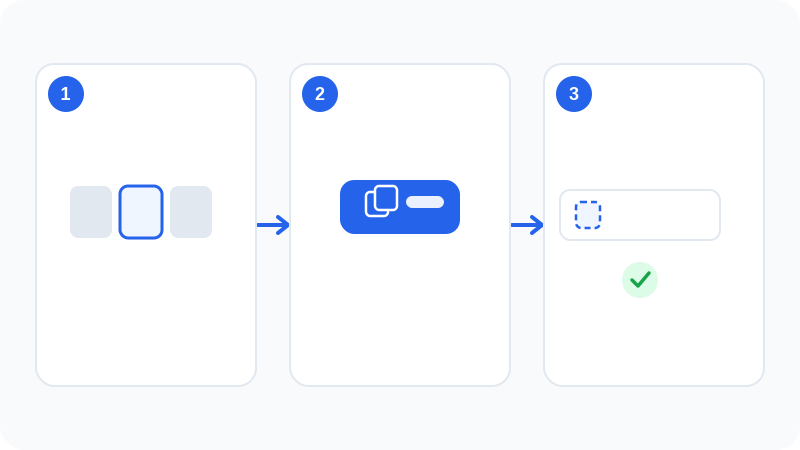
May tatlong blankong character sa page na ito at hindi sila pwedeng palitan-palitin. Ang bawat isa ay kumikilos nang iba depende kung saan mo ilalagay.
Ang Hangul Filler (U+3164) ang pinakaligtas na pagpipilian para sa mga game at app. Ito ay isang tunay na letter sa Korean text, kaya tinatanggap ito ng mga name field at chat box nang walang reklamo. Simulan dito.
Ang Braille blank (U+2800) ang fallback. May mga game na nagba-block ng Hangul pagkatapos ng update habang pinabayaan ang Braille, kaya sulit itong subukan pangalawa.
Ang zero-width space (U+200B) ay hindi kumukuha ng anumang space. Ito ang tamang pick kapag kailangan mo ng break sa pagitan ng characters sa halip na nakikitang gap, at maling pick para sa isang name field sa platform na nagstri-strip nito.
Kung walang gumagana
Ang field na tumatanggi sa bawat character ay karaniwang nagpapatupad ng isang rule na hindi mo nakikita: minimum length, blocklist, o check para sa tunay na pangalan. Walang character ang nakakalusot sa mga iyon.
Kung nase-save ang pangalan pero ipinapakita bilang box, question mark, o walang outline, ang app ay walang font para sa character na iyon. Subukan ang susunod sa listahan.
Kung nawala ang character sa sandali ng pag-save, ang field ay nililinis ang input nito. Iyon ay sinadya sa side ng site, at walang work-around.
Ibang tools
- Free Fire Invisible Name Blank nickname codes para sa Free Fire at PUBG.
- WhatsApp Empty Message Ipadala ang blank chat bubbles at empty status updates.
- Blank Space Generator Generate ng hanggang 10,000 spaces na may custom line breaks.
- Zero-Width Space Kopyahin ang U+200B, o i-detect ang nakatagong characters sa text.
- Invisible Name Generator Blank usernames para sa Free Fire, Discord, at Steam.
- Whitespace Remover Tanggalin ang extra spaces, blank lines, at hidden characters.